A fresh word every glance, right on your screen.
The modern Word of the Day widget that integrates into your daily iPhone flow.
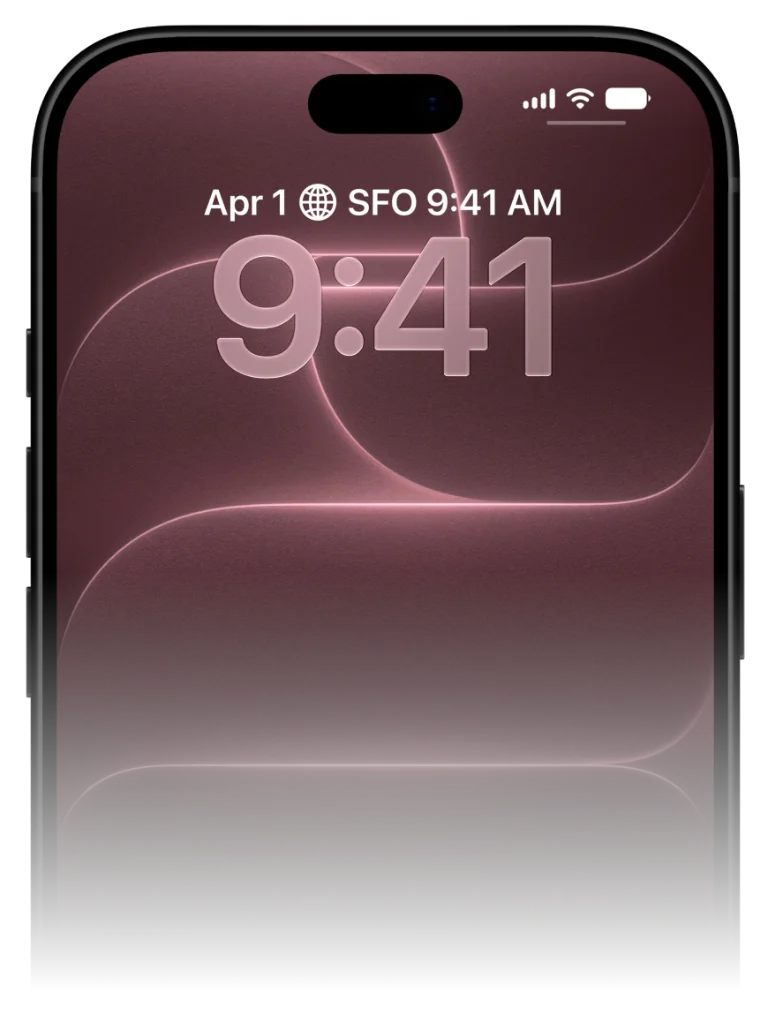
Most Word of the Day apps expect you to remember to open a notification or click through an app. VocabPin flips the model: it brings curated daily vocabulary directly to your iPhone Lock Screen and Home Screen, rotating terms smoothly on a schedule that fits your life.
Crafted for pure glanceable learning
No 30-minute daily cram sessions. No broken streaks. Just effortless exposure right where your eyes already land.
Pick your pair & level
Learn between 16 languages in any mutual combination. Choose your exact CEFR level from A1 beginner to C1, JLPT, or HSK.
Authentic human voice audio
Studio 24kHz pronunciation recorded by real native speakers. Click any voice below to hear natural cadence and tone.
Pin to screen & glance to learn
Pin minimal widgets to your Lock Screen or Home Screen. Unlock 80+ times a day for effortless passive reinforcement.
Pick your pair & level
Learn between 16 languages in any mutual combination. Choose your exact CEFR level from A1 beginner to C1, JLPT, or HSK.
Why traditional Word of the Day notifications fail
The notification trap and how ambient widgets solve it.
Traditional apps rely on push notifications. At 9:00 AM, your phone pings you with a word. But you're in a meeting, driving, or making breakfast. You swipe the banner away to clear your screen, promising yourself you'll look later. You never do.
VocabPin replaces intrusive notifications with ambient persistence. By placing the word of the day inside a native iOS widget, the word stays visibly present throughout your entire day.
Every glance at your clock or calendar naturally exposes your retina and subconscious mind to the word, creating between 60 to 100 effortless passive exposures every day.
The average iPhone user checks their screen over 80 times a day. VocabPin turns every single glance into a subconscious vocabulary rehearsal.
Configured for your exact CEFR or test level
Never too easy. Never overwhelmingly difficult.
A major frustration with generic Word of the Day apps is seeing words you already know, or seeing bizarre archaic terms you will never speak in real life.
With VocabPin, you select your exact level—from CEFR A1 (Beginner) up to C2 (Mastery), or standardized tests like JLPT (N5–N1) and HSK (1–6). Every daily word is calibrated to your current edge of comprehension.
Lock Screen and Home Screen in sync
Accessory Rectangular and System Medium widgets working in harmony.
Set an Accessory Rectangular widget on your Lock Screen for a quick, glanceable monochrome reminder.
Add a System Medium card on your Home Screen when you want richer typography, grammatical gender indicators, and full sentence context.
Set up on your iPhone in under 30 seconds
Works natively across iOS 17 to iOS 27 with zero complicated setup.
Long-press your screen
Touch and hold your Lock Screen or Home Screen until the edit jiggle mode or 'Customize' prompt appears.
Select VocabPin
Tap the widget tray under the clock (Lock Screen) or tap the '+' in the top corner (Home Screen), then find VocabPin.
Choose Level & Language
Pick your target language and refresh interval (e.g. every 4 hours or daily). Tap Done. Words now rotate automatically.
Supported Languages for this Widget
Every language includes authentic typography, native audio pronunciation, and curated CEFR/JLPT/HSK levels.
Frequently Asked Questions
In-Depth Guides & Science
How to Set Up a Word of the Day Widget on iPhone
Everything you need to turn your iPhone into an ambient daily vocabulary builder. Learn how to pick the right CEFR level, configure refresh intervals, and pair with audio.
How Often Do iPhone Widgets Update? iOS Timeline Explained
Ever wondered why some iOS widgets freeze while others update smoothly? Dive into Apple's WidgetKit architecture, timeline budgets, and how VocabPin ensures reliable offline rotation.
How to Learn Vocabulary Passively: The Science of Ambient Exposure
Discover the cognitive psychology behind passive language acquisition. Learn why seeing a foreign word 80 times a day on your iPhone Lock Screen builds stronger recall than grueling 30-minute flashcard sessions.